Skip to content
❄️ Winter camp starts 10 December — Coding & Robotics, ages 6+. Reserve a free class →
Coding · Level 1 · Beginner

MIT APP Inventor Mobile App Development Course

Age9 - 13 years
Classes36
Batch size1 Kid
FormatLive online class
MIT APP Inventor Mobile App Development Course
Overview

About this course

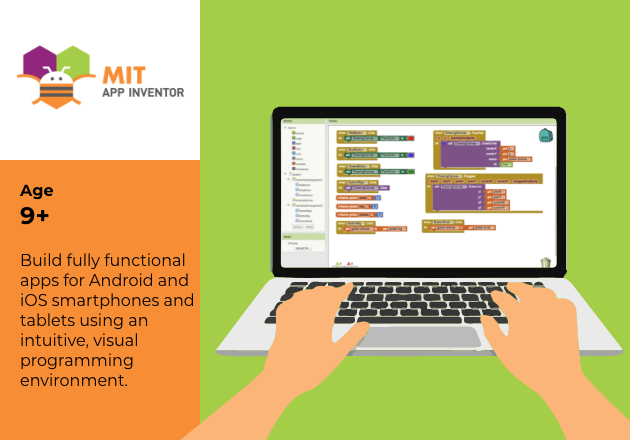
What is MIT app inventor? MIT App Inventor is an intuitive, visual programming environment that allows everyone – even children – to build fully functional apps for Android phones, iPhones, and Android/iOS tablets.

What is MIT app inventor? MIT App Inventor is an intuitive, visual programming environment that allows everyone – even children – to build fully functional apps for Android phones, iPhones, and Android/iOS tablets.

Why MIT app inventor?

It provides hands-on lessons that are adaptable to students across all ages and abilities.Easier to learn blocks-based coding programs inspire intellectual and creative empowerment.

Work with MIT app inventor on cloud

With over a million unique monthly visitors from 195 countries collectively creating almost 30 million apps on MIT app cloud, MIT App Inventor is changing the way the world creates apps and the way that kids learn about computing.

Creative thinking

Hands on learning experience that promotes children’s creative thinking, teamwork, and problem-solving skills.
Building critical thinking and skills of the future

Benefits

  • Easy to learn blocks-based programming
  • Develop efficient problem-solving and coding skills
  • Design projects that combine hardware and software components to collect and exchange data.
  • Work with variables, data arrays and cloud data.
  • Apply critical thinking and develop life skills for the careers of tomorrow.
Syllabus

What your child will learn

  1. Session 1: Introduction To MIT App Inventor
  2. Session 2 : Build Your First App
  3. Session 3 : Cartesian Coordinates : Come Let’s Doodle
  4. Session 4: Understanding Layouts
  5. Session 5: Understanding Layouts – Contd.
  6. Session 6: Arithmetic Operators
  7. Session 7: Mood Ringer
  8. Session 8: Guard Your App
  9. Session 9: Sensors – I
  10. Session 10: Sensors – II
  11. Session 11: Sensors – III
  12. Session 12: Capstone Project
  13. Session 13: Revision
  14. Session 14: Arithmetic Operators
  15. Session 15: Yandex Translate
  16. Session 16: Understanding Variables
  17. Session 17: Science Time
  18. Session 18: Smashing Game
  19. Session 19: Storage
  20. Session 20: Maths Time
  21. Session 21: Built-In Blocks
  22. Session 22: Sensors – I
  23. Session 23: Sensors – II
  24. Session 24: Capstone Project
  25. Session 25: Recap And Revision
  26. Session 26: Arcade Shooter Game
  27. Session 27: Speed Vs Friction
  28. Session 28: Storage – I
  29. Session 29: Storage – II
  30. Session 30: Hangman Game
  31. Session 31: Memory Game
  32. Session 32: Tic-Tac-Toe Game
  33. Session 33: High Score Test Game
  34. Session 34: Pong Game
  35. Session 35: Fruit Catcher Game
  36. Session 36: Capstone Project
Certificate & next steps

A certificate for every level

Certificate of completionMIT APP Inventor Mobile App Development Course
ROBO CLASSES

Certificate will be awarded after successful completion of each level. Student can opt for advance level once they finish their basic level course.

Level 1 · Beginner
FAQ

Common questions

Why should I enroll?

You will learn to create different application using MIT app inventor visual programming.MIT app inventor is based on Scratch 3 environment.

What is your fees refund policy?

We strictly follow a no refund policy under any circumstances.

Will my child receive certificate for this course?

Yes

You did not find a question that you were looking for in this FAQ?

Feel free to contact us on education@roboclasses.com or whatsapp us on +971 56 116 9470

If my child skips any online session, will s/he get the revision session?

No. There are no makeup sessions for absent students. Coach shall brief him in 5 quick minutes on the next day about what he missed. Session recording will be provided to the student if needed.

 Is it possible to change the batch time / days in the middle of the course?

Once you select date and batch time, its difficult for us to change batch time but we will consider this in very special circumstances.

What will my children learn in this course?

Children will learn basic concepts of coding, Logic of Coding as well as online work at Home on the Projects as mentioned in the course description. Students will build their own Games & Animations that they readily play in the real life. Basic of computational thinking will be instilled in this entire course.

Will this be one to one or group learning ?

It's 1:1 classes.

Still have a question? Email support@roboclasses.com or WhatsApp +971561169470.

Free trial class

Not sure yet? Try a free class first

  • A live classWith a real teacher
  • A mini project to keepBuilt in the first class
  • Level recommendationNo payment, no obligation

Book your free class

We'll confirm your slot on WhatsApp.
AED 2,160or AED 540/mo
Book free class